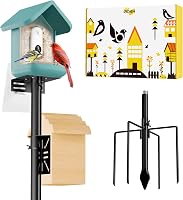
Does Bird Buddy Record Sound?
Yes, Bird Buddy has sound. The camera in the feeder records 2K video, and saved clips and the livestream play with the sound captured around your feeder. The camera module does the recording, so no extra part is needed to hear your visitors.
On this page (7 sections)
- Does Bird Buddy have sound in its videos and livestream?
- What does the Bird Buddy microphone actually pick up?
- How do you get clear audio from a Bird Buddy feeder?
- Do Bird Buddy accessories change the sound you record?
- How does sound fit with the app, Wi-Fi and storage?
- What should you expect from Bird Buddy sound quality?
- So, does Bird Buddy have sound?
Yes, Bird Buddy has sound. The camera in the feeder records 2K video, and saved clips and the livestream play with the sound captured around your feeder.
The camera module handles the recording, so you don't need a separate part to hear your visitors.
That answer matters if you want to identify a bird by ear or just enjoy the chatter. The rest of this guide covers where the audio shows up, what changes with the plan, and how to keep recordings clean.
It also covers the accessories that make a feeder busier and easier to hear.
Does Bird Buddy have sound in its videos and livestream?
Yes, both the saved clips and the livestream include audio. When a bird triggers a recording, the camera captures the visit as video, and the postcard you open in the app plays that visit with its sound.
The camera is the 2K model Bird Buddy builds into the Pro feeder. It pairs a 2x larger sensor with HDR for contrast and color in 5MP photos and 2K video.
That same module handles the sound, so there's no second device to set up.
The livestream works the same way. You open the feed in the app and hear what the microphone picks up in real time, which helps when you want to check activity without waiting for a postcard.
For a deeper look at the camera itself, our Bird Buddy reviews cover how the video and app fit together.
The audio sits in the clip, not in a separate file. Open a postcard and the sound plays with it, and sharing the postcard shares the sound too.
What does the Bird Buddy microphone actually pick up?
It picks up birdsong, wingbeats and the general outdoor ambience near the feeder. The microphone is inside the camera housing, so it hears what reaches the front of the feeder.
That includes the calls and chips of the birds landing on the perch, plus rain, wind and distant traffic. A feeder near a window or a busy street will record that background too.
The sensor's low-light performance helps video at dawn and dusk, and the microphone keeps working in the same conditions.
Sound is part of the same recording event as the video. A bird that triggers a clip leaves you both a picture and a sound sample, which is handy for species you know by call but rarely see clearly.
Pair it with the AI identification in the app and you can check whether the bird you hear matches the bird the app names.
Does the free plan include audio?
Yes. Core features like postcards, livestreaming, species ID and sharing are free, and audio comes with the clips.
Bird Buddy also offers a one-month family subscription for extended features, which adds things like advanced identification and insights.
The subscription doesn't gate the microphone. Whether you stay on the free tier or move up, the clip you open in the app plays its audio.
That makes sound one of the basics you get without paying.
If you want the extra AI features as well, the subscription is the part to weigh. The sound itself is part of the camera, not the plan.
How do you get clear audio from a Bird Buddy feeder?
Place the feeder away from wind and hard surfaces that bounce noise. The microphone is fixed in the camera, so the biggest gains come from where you hang the feeder.
A spot sheltered from prevailing wind helps most. A wall or fence behind the feeder can reflect sound and add echo, while an open branch gives cleaner pickup.
Hanging the feeder a few feet from a noisy path or road also reduces traffic rumble in the clips.
Keep the camera face clear. Seed dust and cobwebs over the lens and microphone grille dull both the picture and the sound.
A quick wipe with a soft cloth when you refill the feeder keeps the front clean.
The Pro feeder mounts on a pole (not included) or hangs from a branch with the included hanger. A branch mount moves with the wind, so pick a calmer spot if your recordings come back noisy.
A pole in a sheltered corner is the steadier choice.
Do Bird Buddy accessories change the sound you record?
Not directly. Accessories change how many birds visit and how close they land to the camera, which shapes what you hear.
The microphone stays the same, but a busier perch gives you more calls to record.
The perch extender widens the landing area so several birds can crowd on at once. The seed extender holds more food so the feeder stays stocked and active.
Neither part adds a microphone or changes the audio settings.
Best for more birds at the feeder
The Tributary Brands Silicone Perch Extender adds 9 inches of landing room so multiple birds can crowd the feeder at once. Its food-grade silicone resists cracking in sun and cold, and it slides on without tools.
More birds on the perch means more sound in each clip. It fits Bird Buddy feeders only and lifts off for dishwasher cleaning.
Best for fewer refills and steady activity
The ARSTBETY XXL Seed Extender holds more seed so the feeder stays busy between refills. Its thickened shell resists heat and cold, and the translucent body lets you watch the seed level.
The tilted roof sheds rain, and the orange color draws birds to the front of the camera. A notch routes the solar cable away from squirrels.
How does sound fit with the app, Wi-Fi and storage?
Sound travels with the clip through the app, so your Wi-Fi link and plan matter more than the audio itself. The camera connects over 2.4 GHz Wi-Fi, and the app carries the postcards and livestream.
A weak Wi-Fi signal can make the livestream stutter, and the audio stutters with it. Keep the feeder within range of your router.
Pairing happens over Bluetooth during setup, then the feeder runs on Wi-Fi.
For storage, the app keeps your postcards in its own collection. If you want local copies on a memory card, look at a bird feeder with camera and SD card.
Bird Buddy's own system relies on the app, so the card route is for people who want files they control.
If the camera stops responding or drops its Wi-Fi link, a quick restart usually helps. Our steps to reset a Bird Buddy camera walk through the process.
What should you expect from Bird Buddy sound quality?
Expect clear birdsong close to the feeder and more background noise as the feeder sits farther from the action. The microphone is built for the near field, so birds on the perch come through well.
Distance and wind are the two things that blur a recording. A bird on the perch a few inches from the camera is the best case.
A bird on the ground several feet away will sound faint.
Rain and gusty days add noise to every clip. The camera still records, but the weather masks the calls.
Check a few postcards on a windy day and you'll hear the difference a sheltered spot makes.
The sound is there to enjoy and to help identify visitors. It isn't a studio recording, and the app doesn't promise broadcast quality.
For a smart feeder, the audio does its job.
What is the Bird Buddy Pro Solar Smart Bird Feeder?
The Bird Buddy Pro Solar Smart Bird Feeder is the model that carries this camera. It records 2K video and 5MP photos, uses AI in the app to identify species and sends alerts when birds visit.
A solar roof keeps the rechargeable battery topped up, and the kit includes a metal hanger, seed scoop, USB-C cable and universal mount. The app needs a 2.4 GHz Wi-Fi network and a subscription for the advanced AI features.
You can invite up to ten people to share the feeder.
So, does Bird Buddy have sound?
Yes. Bird Buddy records 2K video, and the camera that shoots it captures the sound too.
You'll hear birdsong in saved clips and on the livestream, and the free plan includes that audio with every postcard.
To get the most from it, hang the feeder in a sheltered spot, keep the camera face clean, and keep the feeder busy so more birds land close to the microphone. If you want more calls per clip, start with the perch extender and the seed extender above.
For readers still choosing a feeder, our roundup of Bird Buddy alternatives covers other smart feeders with their own audio setups. Compare the sound features before you commit, then enjoy the chatter.
Frequently asked questions
Can I turn the Bird Buddy microphone off?
The app plays clips with their audio, so mute your phone or the app when you want silence. The app also has its own controls, so look there for the exact sound settings.
Does the solar roof affect audio quality?
The solar roof powers the camera but doesn't record audio itself. Wind, rain and nearby traffic reach the same microphone, so the roof helps battery life rather than sound quality.
Can two people listen to the same clip?
Yes. You can invite up to ten people to a feeder in the Bird Buddy app, and each one can open the same postcard and hear its audio.
Does sound recording use more battery?
Audio runs alongside video, so it adds little extra drain. The camera's rechargeable battery is the main load, and the solar roof tops it up during daylight.